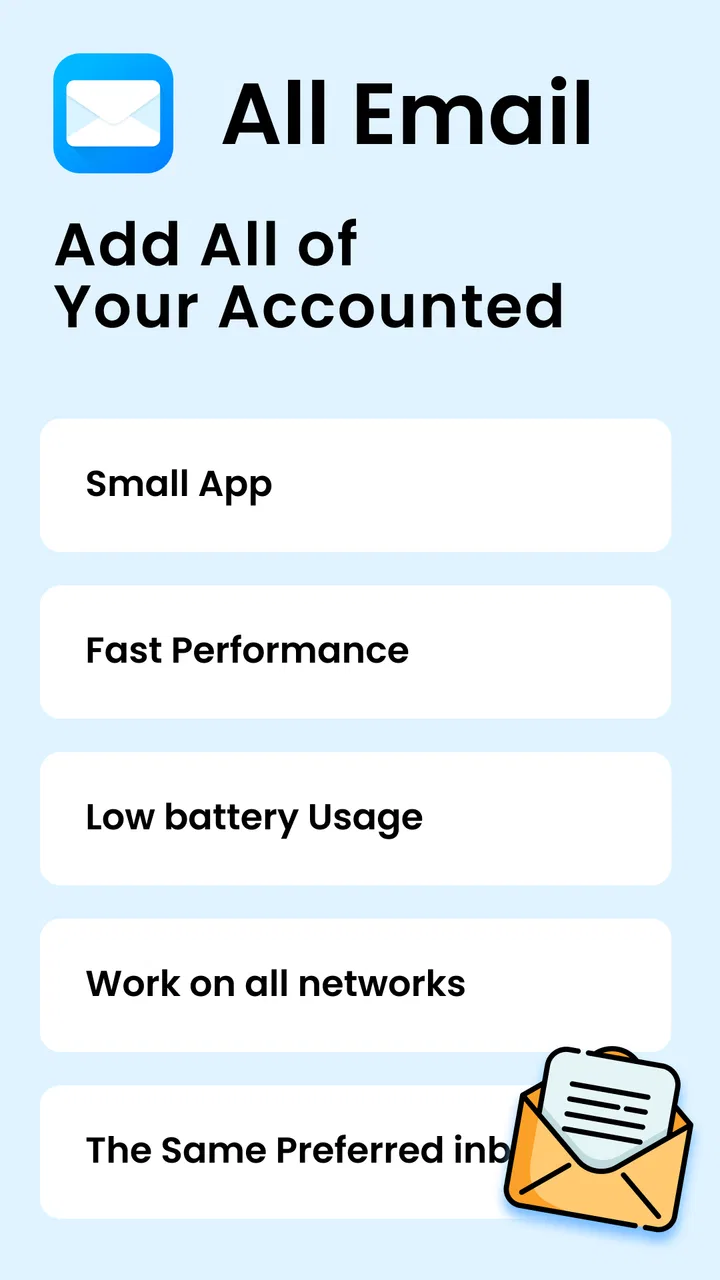
Email - Email Login
- 4.3
- Rating
- 5.00M
- Installs
- Free
- Price

 Analysis by App-foxy
Managing several email accounts can become surprisingly tiring when every address lives in a separate app. I tested Email - Email Login with that everyday problem in mind: not as a replacement for email itself, but as a single communication hub for people who want to reach multiple inboxes from one place. Its main appeal is straightforward. Instead of jumping between separate mail applications, I can use one interface to log in and work with different accounts.
That simplicity is also the key to understanding the app. This is a free communication app from All Email Connect -Fast & Secure Mail, aimed at users who want a practical multi-account email screen rather than a heavily specialized business platform. It carries an Everyone age rating, works on Android versions from 8.0 onward, and the current release is 3.1.3. The app has passed one million installs and holds a 4.1 average from roughly fifty-two thousand ratings, which suggests that its basic idea is useful to a broad audience while still leaving room for individual preferences.
How the everyday email workflow feels
My first useful test was a normal morning routine: checking a personal inbox, looking at a second address used for online services, and then returning to the account where I needed to reply. The value of a unified email app appears in those small transitions. I do not need to remember which account is connected to which separate application, and I can keep the same general habit whether I am checking messages at home, commuting, or handling a quick reply between tasks.
You May Also Like

 Blood Strike: 2.5 Anniversary
Blood Strike’s Loadouts Turn Every Drop Into a Tactical Gamble
A close look at Blood Strike’s custom loadouts: how fast access to signature weapons reshapes its battle royale rhythm, rewards preparation, and narrows the gap between fights.

 Pandora - Music & Podcasts
Pandora’s Music Is Easy to Start, but Harder to Recover
Pandora’s strength is its low-effort path from a seed to a station. Its weak spot is how much confidence it asks you to place in connection, setup, and quiet recovery.

 8 Ball Pool
 Is Built on Rivalries, Rematches, and Routine
A close look at the rivalries, rematches, shared routines, and unanswered safety questions that turn a quick pool match into a persistent mobile community.

 Samsung Music
’s Quiet Strength Is Playing What You Already Own
Its reach comes less from spectacle than from dependable access to a personal library. That simplicity is both the app’s strongest retention engine and its ceiling.

 AccuWeather: Weather Radar
AccuWeather Review: A Quick, Clear Forecast for Everyday Decisions
For everyday plans, the best forecast is the one you can understand quickly. AccuWeather makes rain timing, radar, and local conditions easy to act on, with a few trade-offs.

 Hill Climb Racing
Why Hill Climb Racing Still Turns Crashes Into One More Run
A tiny car, a bumpy hill and one more upgrade: Hill Climb Racing keeps resurfacing because its simple chaos makes every near-miss feel personal.
More From Our News Desk



The store’s short description is simply “Email Login,” but the practical experience is broader than that phrase suggests. The important function is the ability to use multiple email accounts in one place. That makes it especially suitable for people who maintain separate addresses for family, shopping, freelance work, newsletters, or less important registrations. It can also help someone who has recently added a second mailbox and does not want to build a completely new routine around it.
I found the app easiest to appreciate when I treated it as a central doorway rather than as a complete productivity system. It reduces account switching, but it does not automatically solve inbox organization. I still need to decide which messages deserve a response, which should be archived, and which should be ignored. That distinction matters because a single inbox view can make access easier without making email itself less demanding.
A realistic example is a small business owner who keeps a personal address and a customer-facing address. During a busy afternoon, that person may need to check whether a client has replied, then move to a personal message without opening another app. Email - Email Login fits that pattern well. It is also useful for students who separate school communication from personal mail, or for families sharing responsibility across several addresses without wanting several mail icons on the home screen.
There is a trade-off, though. A combined access point can make several accounts feel more convenient, but it also requires careful attention to the account currently selected. When I am replying quickly, I make a habit of checking the sending account before writing anything sensitive. That is not a criticism unique to this app; it is the natural risk of managing multiple identities from one interface. The convenience is real, but it rewards a deliberate final check.
Who benefits most from putting accounts together
I would recommend this app first to people whose main frustration is switching between accounts. If you have two or more addresses and mostly need to read, answer, and keep up with incoming messages, its central idea is easy to understand. It also makes sense for users who prefer one communication tool on an older Android phone instead of maintaining several separate email clients.
It is less compelling for someone who already enjoys a provider’s official app and depends on highly specific tools from that service. A dedicated Gmail, Outlook, Yahoo Mail, or work-managed client may offer a deeper connection to its own ecosystem. If your daily work depends on advanced calendar coordination, elaborate labels, corporate controls, or provider-specific automation, a general multi-account app may feel like a compromise rather than an upgrade.
The app is free to download, which makes trying the basic workflow low-risk. In-app purchases range from $0.99 to $16.99 per item, so I would pay attention to what appears during use before assuming that every convenience is included at no cost. For casual checking, the free entry point is appealing. For heavier use, I would first confirm that the functions I actually need are available in the version I am comfortable using.
Settings I would check before building a habit
When I install an app that gathers multiple accounts, I do not immediately add every address I own. I start with the two accounts I use most and learn how the app presents them. This gives me a clearer sense of account switching, message separation, and the general rhythm of checking mail. Adding everything at once can make it harder to tell whether a confusing screen comes from the app or from the number of accounts connected.
I also recommend reviewing notification behavior early. Multiple accounts can produce a noisy stream of alerts, especially when newsletters, receipts, social updates, and personal messages all arrive together. If the app gives you control over notifications, I would keep alerts focused on accounts where a quick response matters. The broader lesson is simple: centralizing mail should not mean centralizing every interruption.
Another useful setting habit is to decide how you will identify the active account before composing. I look for the account indicator as part of my normal sequence, just as I check the recipient. This becomes particularly important when two addresses have similar names or when one is used professionally. A one-second pause before sending is more valuable than trying to correct a message after it reaches the wrong audience.
Storage and battery expectations are worth considering too. The app supports Android 8.0 and later, so it is accessible to people using older devices, but the experience can still depend on the phone’s available space, background restrictions, and the number of accounts being handled. I would avoid installing it on a nearly full phone and would check Android’s battery settings if notifications arrive late. Those are practical device-level considerations, not promises about a particular result on every handset.
Privacy is another reason to slow down during setup. Email accounts contain personal conversations, receipts, password-reset messages, and sometimes work information. I would only add accounts that I genuinely want available on the device, and I would protect the phone with its own screen lock. The app’s convenience is strongest when the phone is already treated as a trusted personal device.
Faster patterns that make the central inbox useful
The best improvement I found was not a hidden trick; it was a repeatable sequence. I check urgent accounts first, handle messages that need a short reply, and leave longer tasks for a dedicated session. This prevents the unified interface from turning into an endless scroll through every mailbox. The app makes access more compact, but my routine supplies the organization.
I also separate “checking” from “processing.” A quick check answers one question: is there anything urgent? Processing is when I write thoughtful replies, remove clutter, or follow up on an important thread. Mixing both activities every time I open the app makes email feel larger than it is. Using the app for fast triage, then returning for focused replies, gives its multi-account design a clearer purpose.
For people with several addresses, I suggest assigning each account a job in your mind. One might be for personal conversations, another for purchases, and another for work. Even if the app presents them together, that mental separation helps me predict where a message belongs and where a reply should come from. It also makes it easier to notice when an unexpected message appears in the wrong account.
A second practical pattern is to use consistent review windows rather than opening the app every time a notification appears. I might check personal mail during a break and work-related mail before finishing a task. This is particularly helpful for users who are easily distracted by incoming messages. The app can reduce the friction of checking multiple accounts, so setting boundaries becomes even more important.
There is also a useful travel scenario. When I am away from my usual desk, I may need access to booking confirmations, personal mail, and a secondary address without carrying several separate workflows in my head. A single app is convenient in that situation. Still, I would avoid using a public or borrowed device for account access and would be cautious when connecting through unfamiliar networks. Convenience should not override basic account safety.
For a shared household phone, I would be more selective. If different people use the device, keeping several accounts inside one app can blur personal boundaries. In that case, separate user profiles, separate devices, or official provider apps may be more appropriate. Email - Email Login is designed around consolidation, so it is strongest when one person is responsible for the connected accounts.
Where the all-in-one approach reaches its limits
The central limitation is that a general email hub cannot automatically match every specialized feature found in a provider’s own application. If you need deep integration with a particular service, the official client may offer a more complete experience. I would choose Email - Email Login for convenience across accounts, but I would keep a provider-specific app in mind when one mailbox is central to my job or organization.
Another limitation is cognitive rather than technical. More accounts in one place can feel efficient at first, yet the volume of messages can become harder to interpret. A unified app does not decide which account deserves attention or prevent low-value mail from competing with important conversations. Users who want strict separation may actually feel calmer with separate apps, because the physical separation reinforces their work and personal boundaries.
Security-sensitive users should also think about their own requirements before moving everything into one hub. A single access point is convenient, but it concentrates several mail accounts on one device and within one workflow. I would not connect an account merely because I rarely use it. I would connect it only if the benefit of central access outweighs the responsibility of keeping that account available alongside the others.
The purchase model may be another point to consider. The app is free, while optional items are listed between $0.99 and $16.99. That does not automatically make the arrangement unreasonable, but it means I would inspect the available choices carefully and avoid paying for a feature before I understand whether it improves my own routine. Someone who only checks one account may gain little from optional extras.
The app is also not the right answer for users seeking a full communication command center. Its purpose is email access across accounts, not replacing messaging platforms, project tools, or a complete office suite. If your ideal workflow depends on collaboration boards, meeting management, document editing, or complex team administration, you will probably need other applications beside it.
How it compares with the usual alternatives
Compared with using each provider’s official app separately, Email - Email Login wins on simplicity of access. I can build one habit around checking multiple addresses instead of remembering several app locations. The official alternatives usually win when I need the deepest provider-specific experience, especially for work accounts tied closely to another service.
Compared with a major standalone email client that already supports multiple accounts, the decision is more personal. A mature dedicated client may provide more elaborate organization and customization, while this app’s attraction is its direct, approachable focus on email login and account access. I would choose the simpler route if switching accounts is my main problem; I would choose the more advanced client if inbox rules, detailed sorting, or professional workflows dominate my day.
Compared with keeping only one email address, the app does not remove the need for account discipline. It makes several addresses easier to reach, but it cannot make every message equally important. The people who get the most from it are those who already have a reason to maintain multiple accounts and want less friction when moving among them.
My verdict after using it as a daily hub
Email - Email Login is a sensible choice for Android users who want multiple email accounts available in one place without making account switching part of every small task. I like its clear purpose and the way it fits ordinary routines: checking a personal inbox, reviewing a work address, and responding from the correct account without opening several separate apps.
Its strongest quality is not a flashy feature but the reduction of everyday friction. With a careful setup, restrained notifications, and a habit of checking the active account before sending, it can become a practical central mailbox. Those small habits matter more than simply installing it, because the app brings accounts together while leaving the decisions about attention and organization to me.
I would skip it if I need the deepest tools of one particular email provider, strict separation between identities, or a full professional productivity suite. I would also think twice before connecting sensitive or rarely used accounts just for the sake of having everything together. In those situations, an official client or a more specialized multi-account alternative may be the better fit.
For everyone else, especially people tired of bouncing between personal, work, and secondary addresses, the free starting point makes it easy to test the idea. Its 4.1 average and audience of more than a million installs show that the approach has broad appeal, while the optional purchases mean I would still review the available choices before committing to extras. The practical recommendation is to begin with your two most-used accounts, tune notifications, and judge the app by whether it makes your real daily routine calmer.
After that trial, the answer should be clear. If one central inbox helps you respond faster without confusing which account you are using, this communication app earns a place on your phone. If it merely combines clutter that you already struggle to manage, keeping accounts separate may be the more comfortable choice. In my experience, it works best as a focused access tool paired with consistent habits—not as a replacement for thoughtful email organization.
FAQs for Email - Email Login
01What features does the Email - Email Login app offer?
The Email - Email Login app provides a comprehensive suite of features including multi-account support, customizable notifications, spam filtering, and an intuitive user interface. Users can easily manage multiple email accounts from various providers in one place, making it ideal for both personal and professional use.
02Is the Email - Email Login app secure?
Yes, the app employs advanced encryption protocols to ensure your emails are safe. It supports two-factor authentication and secure login options to protect your data from unauthorized access. Regular updates are also provided to address any security vulnerabilities.
03How user-friendly is the Email - Email Login app?
The app is designed with a clean and intuitive interface, making it easy for users of all tech levels. With straightforward navigation and a customizable dashboard, managing emails becomes an effortless task. Tutorials and customer support are available for additional assistance.
04Does the Email - Email Login app support multiple email providers?
Absolutely, the app supports a wide range of email providers including Gmail, Yahoo, Outlook, and more. This makes it convenient for users to handle all their email accounts from one centralized location, enhancing efficiency and productivity.
05Are there any costs associated with using the Email - Email Login app?
The app is free to download and use with basic features. However, there may be premium features available through in-app purchases or subscriptions. These premium options often include enhanced storage, advanced filtering tools, and ad-free experiences.
Pros
- User-friendly interface for easy navigation.
- Supports multiple email accounts seamlessly.
- Strong security features for data protection.
- Efficient spam filtering keeps inbox clean.
- Fast syncing across devices for convenience.
Cons
- Limited customization options for users.
- Occasional ads may disrupt user experience.
- No offline mode for reading emails.
- Requires frequent updates for optimal performance.
- Limited support for older operating systems.

Email - Email Login
Gallery